

Download AYLTV APK – Live TV Streaming, IPTV, Multi-View, EPG, Offline Viewing
Overview
AYLTV is a free multimedia application designed for users who want to access live TV streams through their IPTV services. The app enables viewers to watch live broadcasts from anywhere in the world, making it ideal for travelers, expatriates, or anyone seeking flexibility in their viewing habits. It serves as a reliable tool for staying connected to favorite channels, sports events, news, and entertainment programming without being tied to a physical location.
The primary purpose of AYLTV is to offer a customizable platform for live streaming, allowing users to manage their viewing experience with a high degree of control. It is particularly suited for individuals who already subscribe to IPTV services and are looking for a dedicated player to enhance their experience. While the developer is not publicly detailed, the app’s functionality suggests it was created with practicality and accessibility in mind.
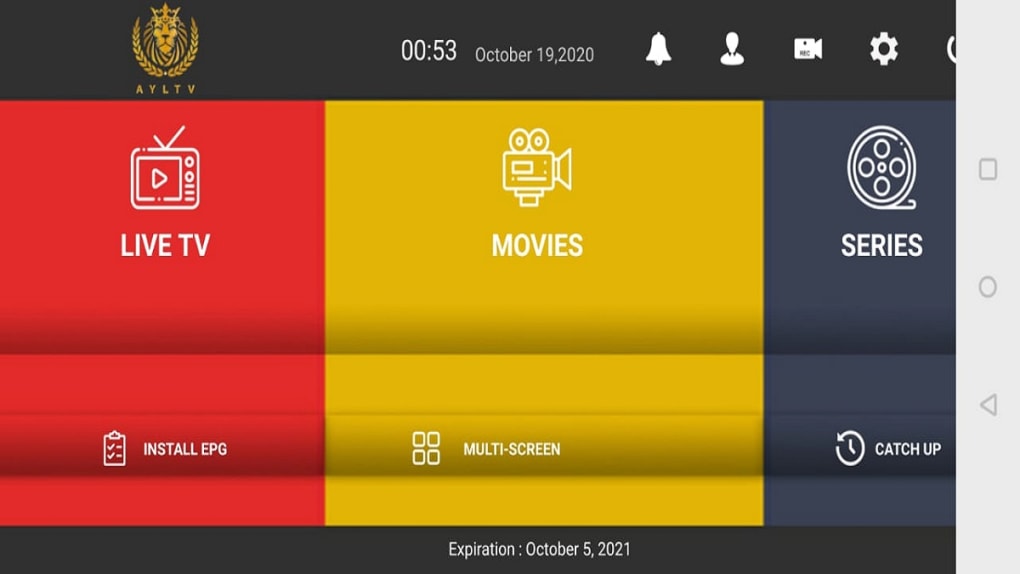
Real-world use cases include watching live sports with multi-angle support, monitoring broadcast schedules via uploaded Electronic Program Guides (EPGs), and recording shows for offline viewing. Despite its functional strengths, the interface has been noted for being outdated, which may affect usability for some users.
Key Features & Capabilities
- Live TV Streaming via IPTV – AYLTV allows users to connect to and play live streams from their IPTV subscriptions, enabling access to global content from any location.
- Multi-View Streaming – Users can display multiple streams simultaneously, which is especially useful for watching live sports events from different camera angles or following multiple games at once.
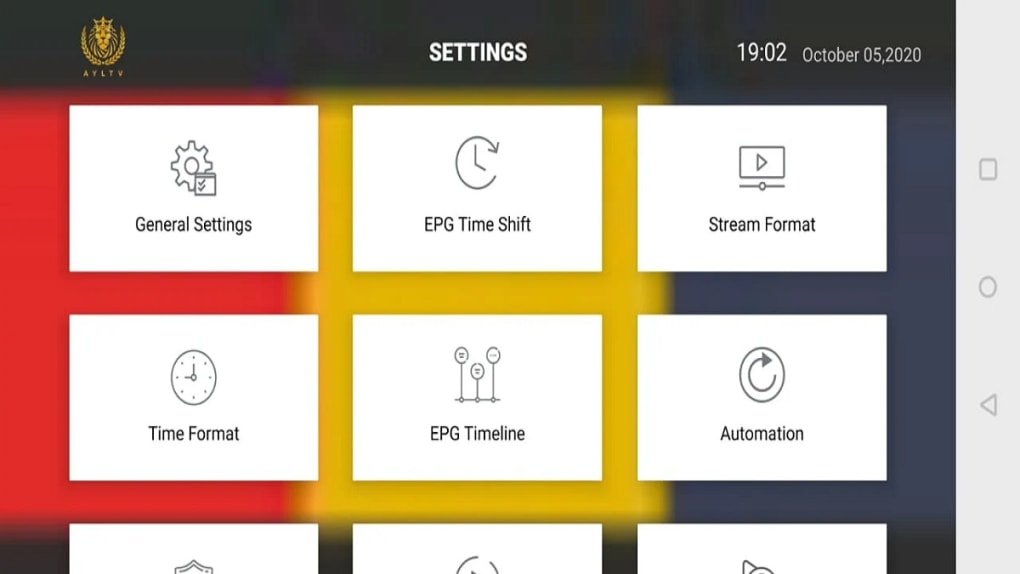
- Customizable Stream Settings – Viewers can adjust resolution (HD or SD), screen ratio, and stream format to optimize playback based on their internet speed and device capabilities.
- Electronic Program Guide (EPG) Support – The app supports uploading and using EPG files, helping users track upcoming shows and plan their viewing schedule effectively.
- Offline Viewing Mode – AYLTV enables recording and saving programs for later playback, allowing users to watch content without an internet connection.
- Ad-Free & No In-App Purchases – The app remains free to download and use, with no advertisements or hidden costs, ensuring an uninterrupted viewing experience.
These features collectively allow users to tailor their streaming experience, whether they’re managing multiple live feeds, planning their viewing around broadcast schedules, or watching recorded content on the go. The ability to switch between HD and SD resolution is particularly beneficial for users with limited bandwidth or older devices. The multi-view function enhances engagement during major live events, while EPG integration adds a layer of convenience for regular viewers.
User Interface, Workflow & Performance
The user interface of AYLTV is described as outdated, which may present challenges when navigating the app, especially when managing multiple streams or adjusting settings. While the core functionality remains intact, the visual design and layout do not align with modern standards, potentially leading to confusion for new users. Navigation appears to rely on traditional menu structures, and there is no indication of gesture-based controls or intuitive shortcuts.
The workflow for adding streams, configuring EPGs, or switching between views may require multiple steps, which could slow down the user experience. Performance details were not specified by the developer, but general behavior suggests that the app operates within typical expectations for streaming applications on mobile devices. The app’s ability to run in both online and offline modes indicates stable background processing for recording and playback.
However, resource usage such as CPU or RAM consumption was not disclosed. The developer did not provide additional system requirements or performance benchmarks, so users should expect standard mobile app behavior in terms of responsiveness and stability.
Compatibility & System Requirements
AYLTV is available as an APK file, indicating it is designed for Android-based devices. The app supports installation on Android smartphones and tablets, though specific version requirements were not provided. The installation size is not listed, but given its multimedia nature, it likely requires a moderate amount of storage space.
The developer did not specify exact system requirements, including minimum RAM, processor speed, or Android version. Compatibility with older Android versions cannot be confirmed. Users are advised to ensure their device meets general Android app compatibility standards.
The app does not appear to be available on iOS or other platforms. Performance on devices with limited hardware may vary depending on the complexity of the stream and the number of active views. The developer did not specify whether the app supports hardware acceleration or video decoding optimizations.
Pros and Cons
Pros
- Free to download and use with no ads or in-app purchases
- Supports multi-view streaming for live events
- Customizable resolution and screen ratio settings
- EPG upload and scheduling functionality
- Offline viewing via recording features
- Global access to IPTV streams from any location
Cons
- Outdated user interface may hinder usability
- No official information on system requirements or performance
- APK-only distribution may raise security concerns for cautious users
- Limited visual feedback during stream switching or recording
- Navigation may be unintuitive for first-time users
FAQ Section
Is AYLTV available for iOS devices?
AYLTV is currently distributed as an APK file, which means it is designed for Android devices. There is no official iOS version available at this time.
Can I use AYLTV without an IPTV subscription?
No, AYLTV requires access to an IPTV service to function. It acts as a player for existing IPTV streams and does not provide its own content or channels.
Is the app safe to download and install?
AYLTV is distributed as an APK, which is not hosted on official app stores. Users should only download the file from trusted sources to minimize security risks. It is recommended to scan the APK with antivirus software before installation.
Does AYLTV support automatic updates?
There is no indication that AYLTV includes an automatic update system. Users may need to manually check for new versions and download updated APK files.
Can I record live TV and watch it later?
Yes, AYLTV supports recording live streams for offline viewing. This feature allows users to save favorite programs and watch them without an internet connection.
Final Thoughts
AYLTV stands out as a powerful and flexible tool for users who rely on IPTV services and want greater control over their live viewing experience. Despite its outdated interface and lack of detailed technical specifications, the app delivers essential features such as multi-view streaming, EPG integration, offline recording, and customizable playback settings. Its ad-free model and no in-app purchases make it an appealing choice for those seeking a straightforward streaming solution.
While the user experience could be improved with a modern UI and better navigation, the app remains functional and effective for its intended purpose. It is particularly valuable for sports fans, international viewers, and anyone who needs to watch live TV remotely. For users willing to overlook the interface limitations, AYLTV offers a robust and free platform to stay connected to live content.
Download AYLTV now to enjoy live TV on your Android device with full customization and offline access.





.png)

